
Your pipelines, their records and their integrity, in one desktop program.
IntegrityTwin Desktop works directly on a PODS 7 database. See each line on the map and along its stationing, run the integrity assessments, keep up with compliance, plan the digs and bring in the vendors' data. One Windows program, with no server to host.
Built for the people who keep pipelines safe
Integrity engineers, data managers and field supervisors work from the same records, on the same line, in the same program.
Every record, where it is on the line
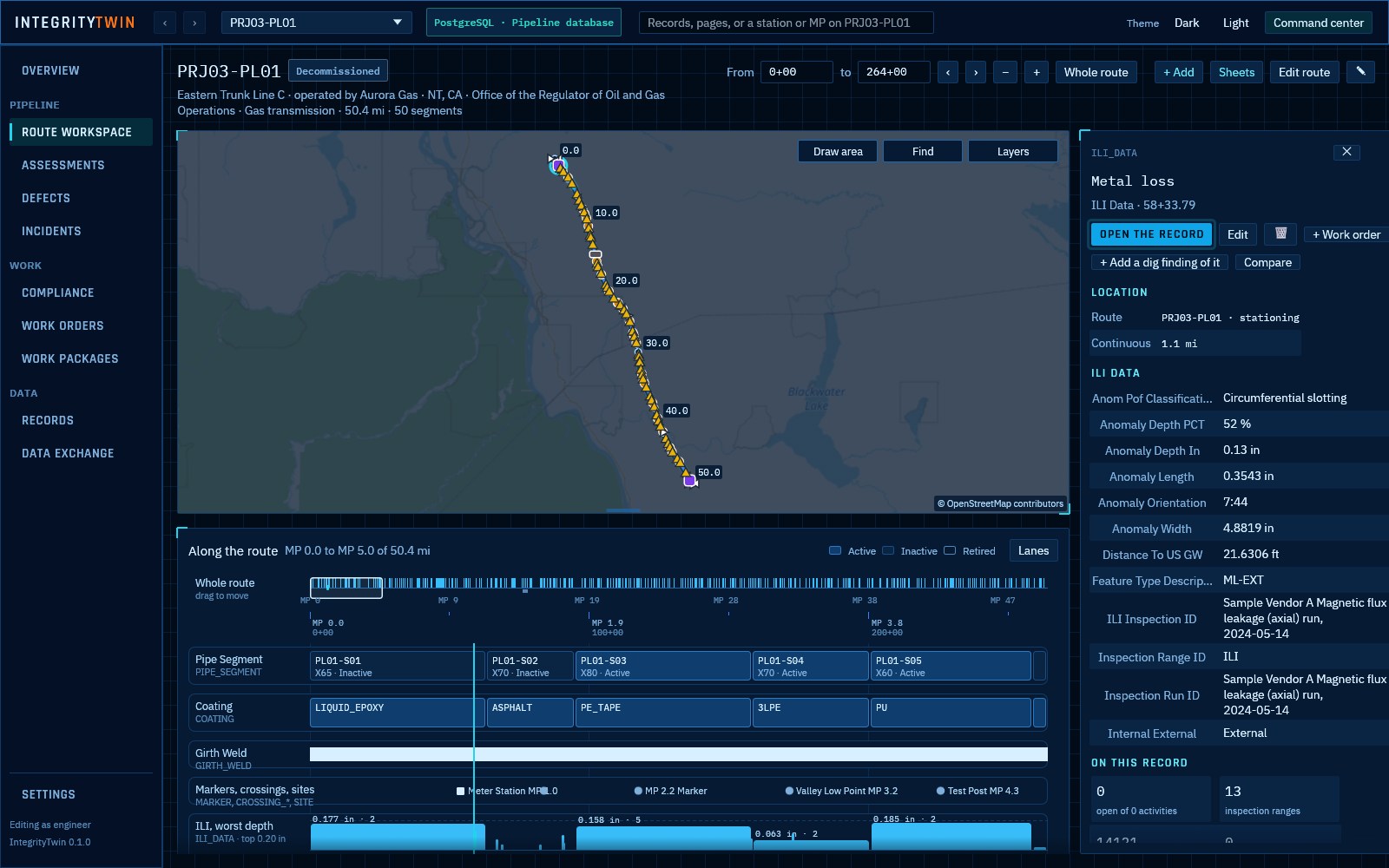
Pick a pipeline and see it on the map and along its stationing at once. Pipe, coating, welds, valves, ILI anomalies, CP readings and open work line up in lanes, and a click on any of them opens it in the Inspector.
- Map layers for every PODS feature, with Find by attribute or drawn area
- Stationing and mileposts kept in step with the route
- Records added, edited and placed by station, with full history
Assessments you can check line by line
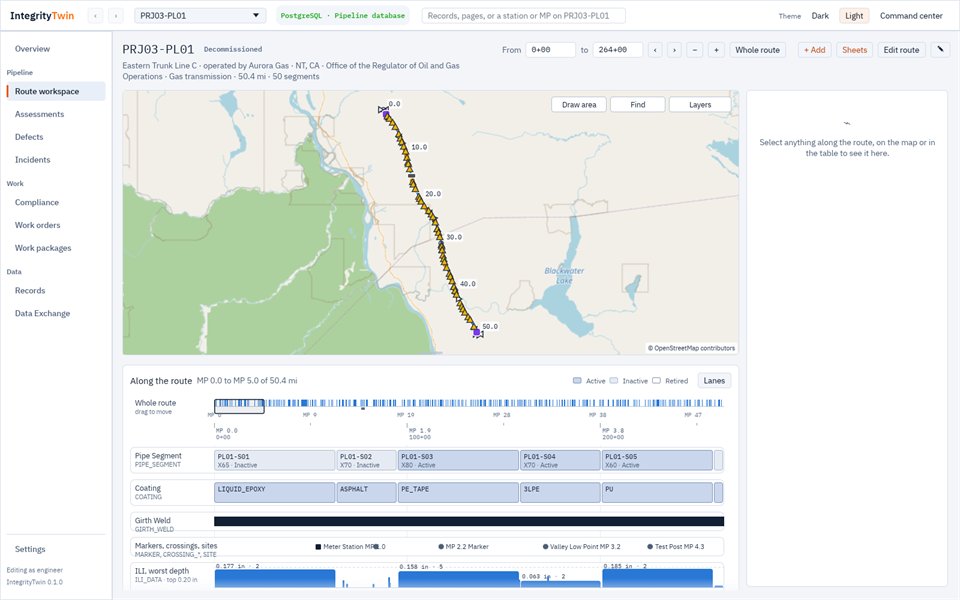
Metal loss by Modified B31G and RSTRENG, dents, laminations, girth and long seam welds, cathodic protection, class location changes, MAOP verification, future integrity with Monte Carlo, risk and the integrity plan. Each shows its working and the rule it applies.
- Results saved with the settings they were run with, and compared run to run
- Repair and dig plans drawn up from the findings
- 49 CFR 192 and 195, CSA Z662 and ASME B31.8S cited where they apply
What's due, what's overdue, and who's on it
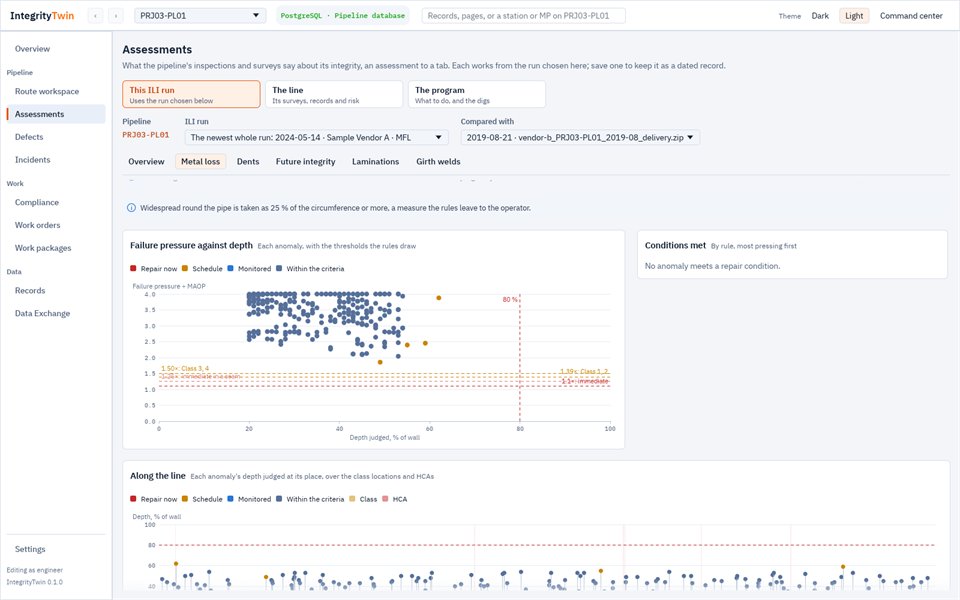
Compliance rules turn into tasks with due dates and evidence. Work orders and work packages go to the field and come back with their results, photos and forms. Incidents are recorded against the regulator's thresholds, and the annual report adds itself up.
- Due dates and an audit trail for every rule
- Work packages issued as PDF, checked back in with their findings
- Incident register with the reporting tests applied
Bring the vendors' data in, and check it first
ILI feature listings and pipe tallies, centerlines, CP and coating surveys, pressure tests, dig sheets, repairs, documents and whole PODS or UPDM databases. Each import is mapped, previewed and checked before a row is written, and can be undone.
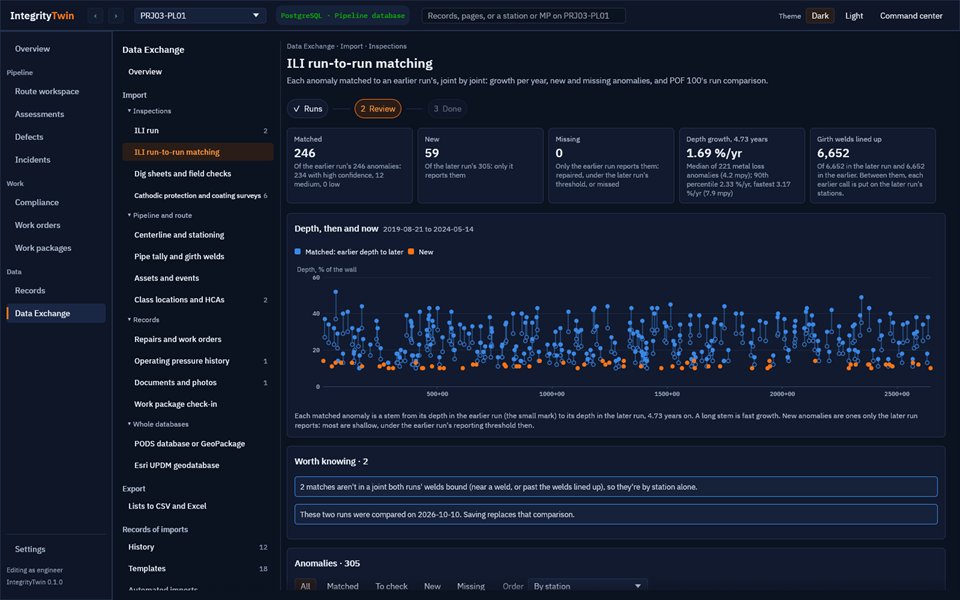
- ILI runs aligned to the welds and matched run to run for growth
- Saved templates for each vendor's layout
- Automated imports from a folder, a web address or a database
A desktop program, on your own database
No hosting, no subscription to a cloud service, and no lock-in: the data stays in a standard PODS 7 database that GIS tools read too.
PostgreSQL or SQLite
Share one PostgreSQL (PostGIS) database across a team, or carry a single SQLite or GeoPackage file. The same program works on either.
PODS 7, as it is
IntegrityTwin reads and writes the PODS 7 tables directly, with its own tables kept beside them. On PostGIS, QGIS and ArcGIS can read the same layers.
Every change recorded
Who changed what, when and why, for every record and every import, with imports undone as a whole.
Sheets and reports to PDF
Alignment sheets, weld sheets, dig sheets, work packages and assessment reports, printed to PDF from the program.
Fast on the desktop
A native Windows program: one file, quick to start, smooth on a long line with thousands of anomalies.
Three themes
Light for the office, Dark for long sessions, and Command center for a control-room display.
Try IntegrityTwin Desktop
Download it, point it at a PODS 7 database (or make a new one), and open your first line in a few minutes.